Lil' Bitty Things
Lil' Bitty Things
About
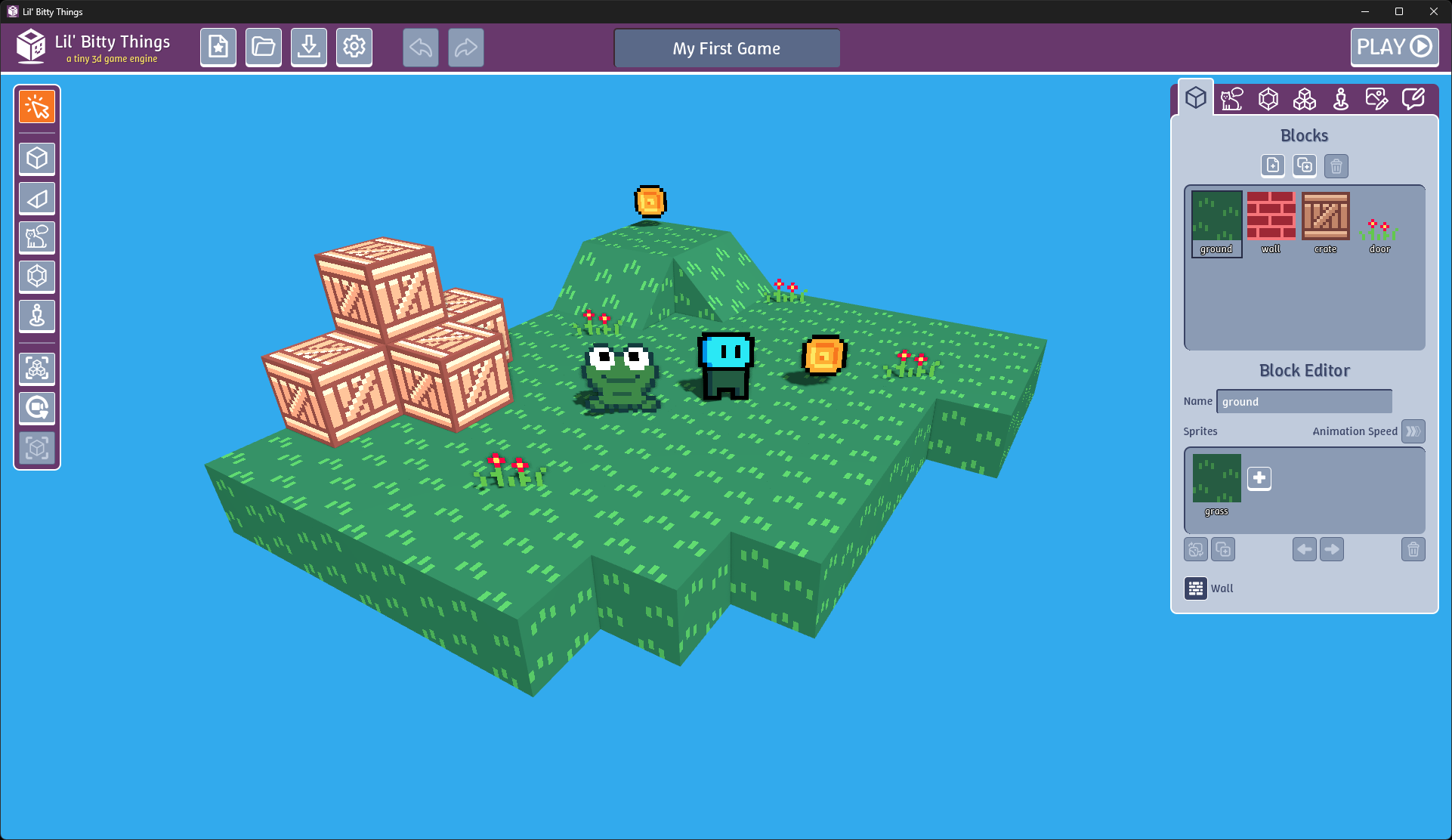
Hello! Lil' Bitty Things is a tiny 3d game engine for making small 3d games, stories, adventures, and more. I hope you enjoy using it as much as I enjoyed making it.
A huge inspiration for this was Bitsy by Adam Le Doux. If Bitsy didn't exist, this tool wouldn't exist. Thank you, Adam!
A huge thanks to Joseph White (zep) for everything I learned from PICO-8 about the importance of constraints. Without PICO-8, this project would have ballooned out of control into a monstrosity of features.
Lastly, a big thanks to Portland Indie Game Squad (PIGSquad) for being such an incredible, amazing game development community. (And for putting up with me talking everyone's ear off about PICO-8 and Godot for years on end.)
The web version of this tool will always be free. If you'd like to use it offline, or if you'd just like to support development of this tool, you can purchase a standalone desktop version.
—Dylan Bennett
Quick Start
Edit Mode
| Rotate Camera | Middle Mouse or ALT + Left Mouse |
| Move Camera | SHIFT + Middle Mouse or ALT + SHIFT + Left Mouse |
| Zoom In/Out | Mouse Wheel or Two-Finger Scroll |
| Rotate Block/Slope | R |
| Delete Block/Thing/Item | Right-Click or Ctrl-Click |
Play Mode
| Move | WASD or ⬆⬅⬇➡ |
| Rotate Camera | Q or E |
| Continue (during dialog) | Any Key |
Documentation
Full documentation, as it currently exists, can be found at docs.lilbittythings.org.
The Basics
Sprites
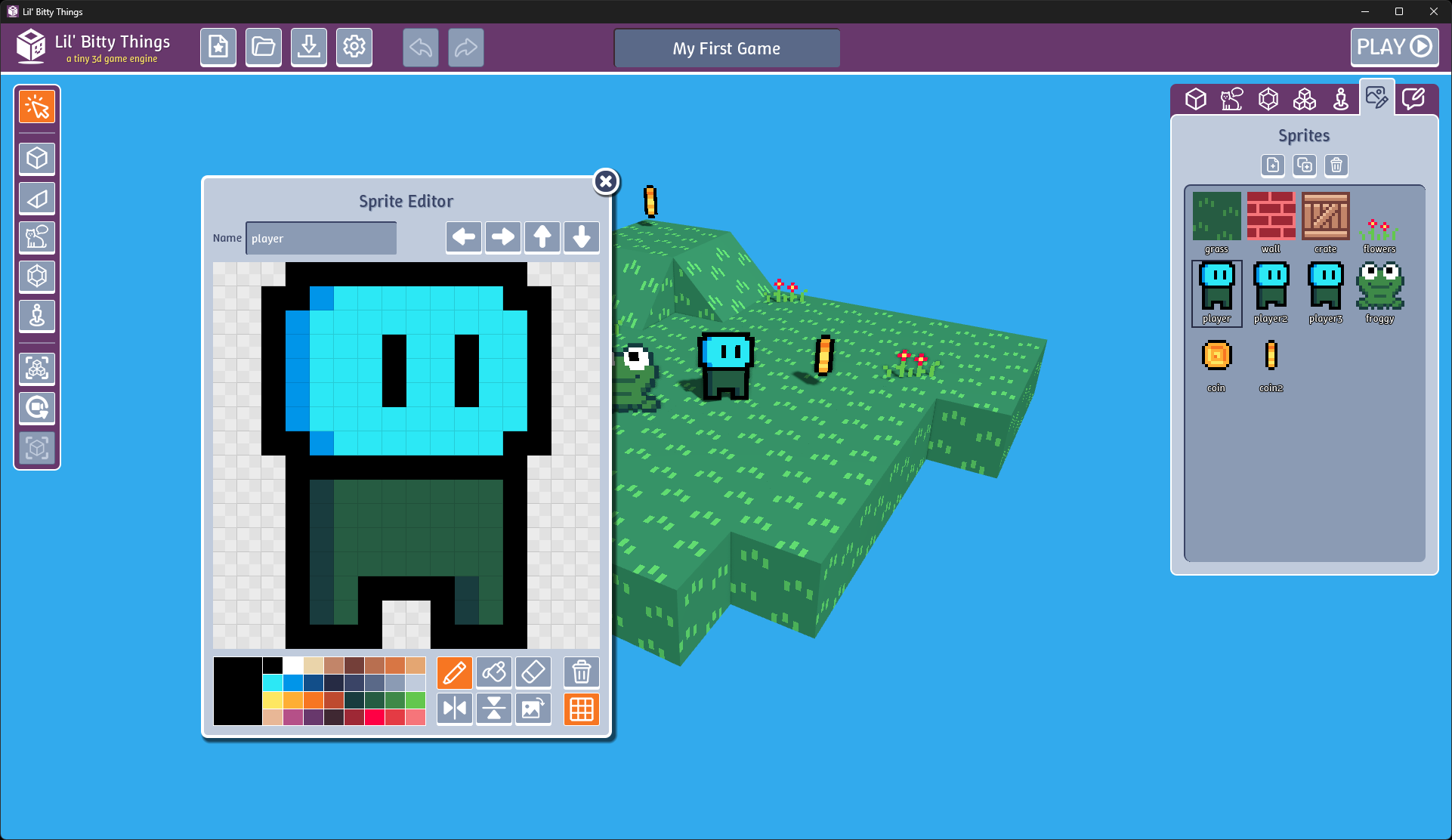
Sprites are pieces of art for the game. They can be used for anything in the game. They are 16x16 pixels and have 32 colors, plus transparent pixel support. Sprites can be used in a row to create animations. There are 3 speeds of animation: slow, normal, fast.
Player
The player is the main star of the game. They can have different looks when walking or standing. The player is always facing the camera. You can only have one player in the game at a time.
Blocks
Blocks are what make up the geometry of your game. When placed in a room, they can either be a full cube or a slope. Slopes allow for players to have vertical movement through the rooms. Blocks and slopes can be rotated in one of four directions. Blocks use either an individual sprite, or a series of sprites for animation. Blocks can also be solid, like a wall, so the Player can't move through them.
Things
Things are the main interactive parts of your game. They can use either a single sprite or a series of sprites for animation. Like the Player, Things always face the camera. You can place multiple instances of a Thing in the game, but they will all be copies of each other, so they will act the same. Make a copy if you want them to look the same, but act differently. Things can block a player from moving or let the Player walk through them. You can even assign a Thing a fully transparent sprite if you want to turn it into a sort of trigger for an action sequence.
Items
Items are pickups. Visually they look like Things, but when the Player walks over an Item, it gets picked up and added to the Player's inventory. Like the Player and Things, Items always face the camera. You can have as many instances of an Item in the game as you want. You can use Items as variables in your game if you want to simply keep track of a number. Just don't place that Item in the game.
Rooms
Rooms are where the game takes place. Rooms are made of Blocks, Things, and Items. They have a background color that can be set. Rooms can be named. Rooms also have a start position for the Player. If the Player falls off the floor, they can either be teleported back to the start position, or they can end the game.
Action Sequences
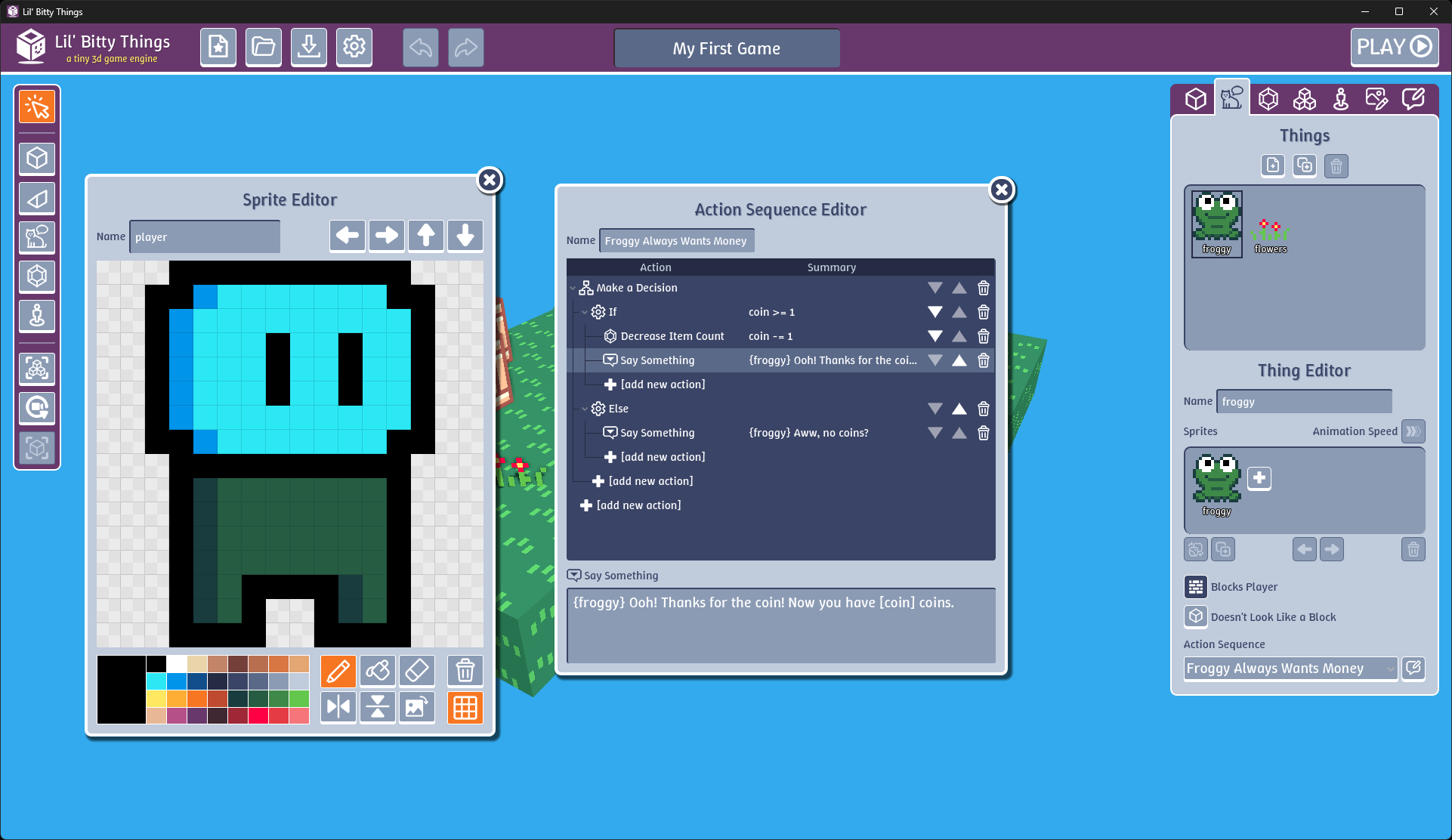
Action Sequences are a list of Actions that can be used for interactivity in the game. There are a variety of Actions that can be used and there is basic logic that can be applied to how they get used. For example, you can add logic such that a certain Action will happen if an Item amount is over a certain number, but another Action will happen if that Item is not over a certain number. You can assign an Action Sequence to a Room and it will play out when the Room is loaded. You can assign an Action Sequence to a Thing and it will play out when you walk into the Thing. You can assign an Action Sequence to an Item and it will happen when you pick up the Item. The same Action Sequence can be assigned to multiple components in the game.
Known Issues
- Jump to Player button on Player Editor doesn't work yet
- You can't edit room starting positions
- You can't choose if whether the game ends or the Player respawns when falling off the edge
- When switching rooms, the camera doesn't remember where it was in the old room
- Camera rotation while playing could be better
- Translations are still half Google Translate
Future Features
Features I am either definitely adding or strongly considering:
- More complete keyboard shortcuts
- Exportable standalone games
- Rooms List shows background color next to listing
- Better sprite name visibility (maybe list instead of grid?)
- Contextual help box in bottom-left (can be turned off in Settings)
- Things where you can turn off visibility in the game (editor-only visibility)
- Toggle show only walls by making everything else partially transparent
- Warn user about deleting blocks
- Warn user about deleting rooms
- Warn user about new game
- Mods
- Sound and music
- Import bitsy game
- Palette swap
- Action for changing the Player's sprites
- Action for making Things passable or not
- Option to choose if an Item's value is always shown on-screen while playing
- Sprite Editor fill tool allowing replacing all of one color, maybe with CTRL
- Open source project code
Any new feature will stay or go based on its simplicity. Is it easy for new/young users to understand? Is it unambiguous in what it does? Does it add joy to the experience of using Lil' Bitty Things? If not, there's a good chance it'll go away. This tool is not intended to be a huge, complicated game engine. The goal is to have extremely simple components that are easy to understand and use. But when combined, those simple components can give rise to joyful complexity. Much like LEGO bricks.
Code of Conduct
In addition to itch.io's community rules, it's expected that everyone here follow this code of conduct:
The Basics
Be kind. Be respectful. Help others.
How To Do That
- Talk to people like you'd want to be talked to.
- Be patient. Some people are just starting out. Help them.
- Ask questions before jumping to conclusions.
- Stay on topic and respect the purpose of this space.
- Keep critique to yourself, unless someone specifically asks for feedback.
When Things Go Wrong
- Look at the situation from the other side and consider if you might be in the wrong.
- Respect the decision of the moderators. (They might have more info about a situation than would be appropriate to share.)
- Use the reporting tools if necessary.
Purchase
In order to download this tool you must purchase it at or above the minimum price of $10 USD. You will get access to the following files:
Development log